3: Writing and including custom Effects#
In this tutorial, we will load the model of MICADO (including Armazones, ELT, MORFEO) and then turn off all effect that modify the spatial extent of the stars. The purpose here is to see in detail what happens to the distribution of the stars flux on a sub-pixel level when we add a plug-in astrometric Effect to the optical system.
For real simulation, we will obviously leave all normal MICADO effects turned on, while still adding the plug-in Effect. Hopefully this tutorial will serve as a refernce for those who want to see how to create Plug-ins and how to manipulate the effects in the MICADO optical train model.
Create and optical model for MICADO and the ELT#
import numpy as np
import matplotlib.pyplot as plt

import scopesim as sim
from scopesim_templates.stellar import stars, star_grid
In this examples, we will use the “advanced” interface of ScopeSim, which involves multiple steps to create and run the simulation, but allows for more (and easier) cutomisation of the optical train model.
cmd = sim.UserCommands(use_instrument="MICADO", set_modes=["SCAO", "IMG_1.5mas"])
micado = sim.OpticalTrain(cmd)
We can see which Effects are already included by calling micado.effects:
micado.effects
| element | name | class | included |
|---|---|---|---|
| str13 | str23 | str31 | bool |
| armazones | skycalc_atmosphere | SkycalcTERCurve | True |
| ELT | telescope_reflection | SurfaceList | True |
| ELT | telescope_fits_keywords | ExtraFitsKeywords | True |
| MICADO | micado_static_surfaces | SurfaceList | True |
| MICADO | micado_ncpas_psf | NonCommonPathAberration | True |
| MICADO | filter_wheel_1 : [open] | FilterWheel | True |
| MICADO | filter_wheel_2 : [Ks] | FilterWheel | True |
| MICADO | pupil_wheel : [open] | FilterWheel | True |
| MICADO_DET | full_detector_array | DetectorList | False |
| ... | ... | ... | ... |
| MICADO_DET | readout_noise | PoorMansHxRGReadoutNoise | True |
| MICADO_DET | exposure_output : [sum] | ExposureOutput | True |
| MICADO_DET | ad_conversion | ADConversion | True |
| MICADO_DET | source_fits_keywords | SourceDescriptionFitsKeywords | False |
| MICADO_DET | extra_fits_keywords | ExtraFitsKeywords | True |
| default_ro | relay_psf | FieldConstantPSF | True |
| default_ro | relay_surface_list | SurfaceList | True |
| default_ro | extra_fits_keywords_ro | ExtraFitsKeywords | True |
| MICADO_IMG_HR | zoom_mirror_list | SurfaceList | True |
| MICADO_IMG_HR | micado_adc_3D_shift | AtmosphericDispersionCorrection | False |
Now we turn off all Effects that cause spatial aberrations:
for effect_name in ["full_detector_array", "micado_adc_3D_shift",
                    "micado_ncpas_psf", "relay_psf"]:
    micado[effect_name].include = False
    print(micado[effect_name])
DetectorList: "full_detector_array"
AtmosphericDispersionCorrection: "micado_adc_3D_shift"
NonCommonPathAberration: "micado_ncpas_psf"
FieldConstantPSF: "relay_psf"
- PSF file:   PSF_SCAO_ConstPSF_0_5off.fits
The normal detector window is set to 1024 pixels square. Let’s reduce the size of the detector readout window:
micado["detector_window"].data["x_cen"] = 0          # [mm] distance from optical axis on the focal plane
micado["detector_window"].data["y_cen"] = 0
micado["detector_window"].data["x_size"] = 64          # [pixel] width of detector
micado["detector_window"].data["y_size"] = 64
By default ScopeSim works on the whole pixel level for saving computation time. However it is capable of integrating sub pixel shift. For this we need to turn on the sub-pixel mode:
micado.cmds["!SIM.sub_pixel.flag"] = True
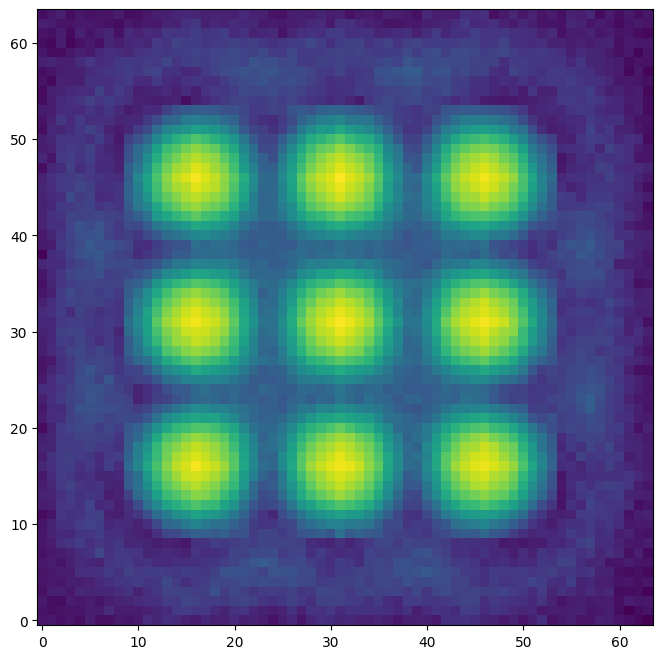
We can test what’s happening by making a grid of stars and observing them:
source = star_grid(n=9, mmin=20, mmax=20.0001, separation=0.0015 * 15)
source.fields[0]["x"] -= 0.00075
source.fields[0]["y"] -= 0.00075

micado.observe(source, update=True)

plt.figure(figsize=(8,8))
plt.imshow(micado.image_planes[0].data, origin="lower")
py.warnings - WARNING: /tmp/ipykernel_1455/1643284052.py:2: PendingDeprecationWarning: Direct item access for source fields may become deprecated in the future. Use the .field attribute instead.
  source.fields[0]["x"] -= 0.00075

py.warnings - WARNING: /tmp/ipykernel_1455/1643284052.py:2: PendingDeprecationWarning: Direct item assignment for source fields may become deprecated in the future. Use the .field attribute instead.
  source.fields[0]["x"] -= 0.00075

py.warnings - WARNING: /tmp/ipykernel_1455/1643284052.py:3: PendingDeprecationWarning: Direct item access for source fields may become deprecated in the future. Use the .field attribute instead.
  source.fields[0]["y"] -= 0.00075

py.warnings - WARNING: /tmp/ipykernel_1455/1643284052.py:3: PendingDeprecationWarning: Direct item assignment for source fields may become deprecated in the future. Use the .field attribute instead.
  source.fields[0]["y"] -= 0.00075
<matplotlib.image.AxesImage at 0x71ff0add95d0>
micado["detector_window"].data
| id | x_cen | y_cen | x_size | y_size | angle | gain | pixel_size |
|---|---|---|---|---|---|---|---|
| pix | pix | pix | pix | deg | electron / adu | mm | |
| int64 | str6 | str6 | str10 | str11 | int64 | int64 | float64 |
| 0 | 0 | 0 | 64 | 64 | 0 | 1 | 0.015 |
Writing a custom Effect object#
The following code snippet creates a new Effect class.
import numpy as np
from astropy.table import Table

from scopesim.effects import Effect
from scopesim import Source


class PointSourceJitter(Effect):
    def __init__(self, **kwargs):
        super(PointSourceJitter, self).__init__(**kwargs)   # initialise the underlying Effect class object
        self.meta["z_order"] = [500]                        # z_order number for knowing when and how to apply the Effect
        self.meta["max_jitter"] = 0.001                     # [arcsec] - a parameter needed by the effect
        self.meta.update(kwargs)                            # add any extra parameters passed when initialising

    def apply_to(self, obj):                                # the function that does the work
        if isinstance(obj, Source):
            for field in obj.fields:
                if isinstance(field, Table):
                    dx, dy = 2 * (np.random.random(size=(2, len(field))) - 0.5)
                    field["x"] += dx * self.meta["max_jitter"]
                    field["y"] += dy * self.meta["max_jitter"]

        return obj
Lets break it down a bit (THIS IS JUST A STEP-BY-STEP EXPLANATION OF THE CODE ABOVE, NOT SOMETHING NEW!):
class PointSourceJitter(Effect):
    ...
Here we are subclassing the Effect object from ScopeSim.
This has the basic functionality for reading in ASCII and FITS files, and for communicating with the OpticsManager class in ScopeSim.
The initialisation function looks like this:
def __init__(self, **kwargs):
    super(PointSourceJitter, self).__init__(**kwargs)   # initialise the underlying Effect class object
    self.meta["z_order"] = [500]
Here we make sure to activate the underlying Effect object.
The z_order keyword in the meta dictionary is used by ScopeSim to determine when and where this Effect should be applied during a simulations run.
The exact z-order numbers are described in [insert link here].
The main function of any Effect is the apply_to method:
def apply_to(self, obj):
    if isinstance(obj, Source):
        ...

    return obj
It should be noted that what is passed in via (obj) must be returned in the same format. The contents of the obj can change, but the obj object must be returned.
All the code which enacts the results of the physical effect are contained in this method.
For example, if we are writing a redshifting Effect, we could write the code to shift the wavelength array of a Source object by z+1 here.
There are 4 main classes that are cycled through during an observation run:
Source: contains the original 2+1D distribution of light,FieldOfView: contains a (quasi-)monochromatic cutout from the Source object,ImagePlane: contains the expectation flux image on the detector planeDetector: contains the electronic readout image
An Effect object can be applied to any number of objects based on one or more of these base classes.
Just remember to segregate the base-class-specific code with if statements.
Including a custom Effect#
First we need to initialise an instance of the Effect object:
jitter_effect = PointSourceJitter(max_jitter=0.001, name="random_jitter")
Then we can add it to the optical model:
micado.optics_manager.add_effect(jitter_effect)

micado.effects
| element | name | class | included |
|---|---|---|---|
| str13 | str23 | str31 | bool |
| armazones | skycalc_atmosphere | SkycalcTERCurve | True |
| armazones | random_jitter | PointSourceJitter | True |
| ELT | telescope_reflection | SurfaceList | True |
| ELT | telescope_fits_keywords | ExtraFitsKeywords | True |
| MICADO | micado_static_surfaces | SurfaceList | True |
| MICADO | micado_ncpas_psf | NonCommonPathAberration | False |
| MICADO | filter_wheel_1 : [open] | FilterWheel | True |
| MICADO | filter_wheel_2 : [Ks] | FilterWheel | True |
| MICADO | pupil_wheel : [open] | FilterWheel | True |
| ... | ... | ... | ... |
| MICADO_DET | readout_noise | PoorMansHxRGReadoutNoise | True |
| MICADO_DET | exposure_output : [sum] | ExposureOutput | True |
| MICADO_DET | ad_conversion | ADConversion | True |
| MICADO_DET | source_fits_keywords | SourceDescriptionFitsKeywords | False |
| MICADO_DET | extra_fits_keywords | ExtraFitsKeywords | True |
| default_ro | relay_psf | FieldConstantPSF | False |
| default_ro | relay_surface_list | SurfaceList | True |
| default_ro | extra_fits_keywords_ro | ExtraFitsKeywords | True |
| MICADO_IMG_HR | zoom_mirror_list | SurfaceList | True |
| MICADO_IMG_HR | micado_adc_3D_shift | AtmosphericDispersionCorrection | False |
When we want to observe, we need to include the update=True flag so that the optical model is updated to include the instance of our new Effect:
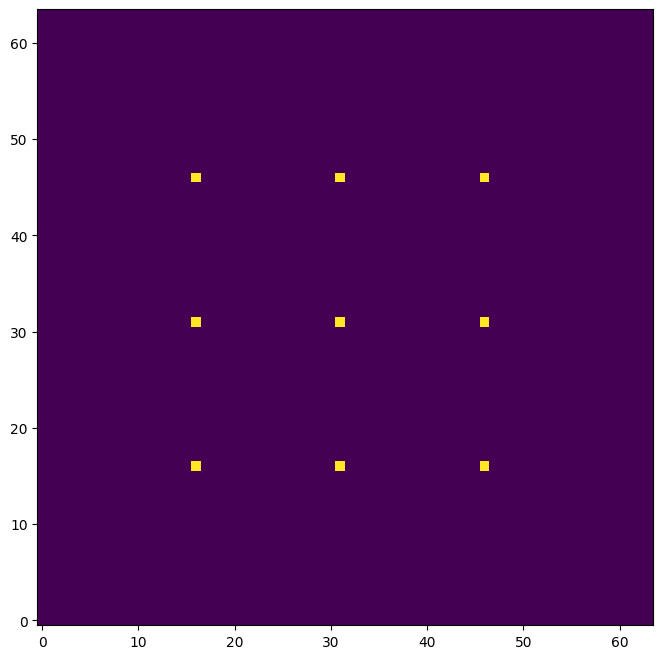
micado.observe(source, update=True)

plt.figure(figsize=(8,8))
plt.imshow(micado.image_planes[0].data, origin="lower")
<matplotlib.image.AxesImage at 0x71ff0adffe10>
We can update the parameters of the object on-the-fly by accessing the meta dictionary:
micado["random_jitter"].meta["max_jitter"] = 0.005

micado.observe(source, update=True)

plt.figure(figsize=(8,8))
plt.imshow(micado.image_planes[0].data, origin="lower")
<matplotlib.image.AxesImage at 0x71ff0a363a90>
Here we can see that there is a certain amount of sub-pixel jitter being introduced into each observation. However this bare-bones approach is not very realistic. We should therefore turn the PSF back on to get a more realistic observation:
micado["relay_psf"].include = True

micado.observe(source, update=True)
hdus = micado.readout()

plt.figure(figsize=(8,8))
plt.imshow(hdus[0][1].data, origin="lower", norm="log")
astar.scopesim.effects.psfs - Interpolating PSF onto (683, 683) image
astar.scopesim.effects.psfs - WARNING: PSF center off
astar.scopesim.effects.psfs - Interpolating PSF onto (683, 683) image
astar.scopesim.effects.psfs - WARNING: PSF center off
astar.scopesim.effects.psfs - Interpolating PSF onto (683, 683) image
astar.scopesim.effects.psfs - WARNING: PSF center off
astar.scopesim.detector.detector_manager - Extracting from 1 detectors...
astar.scopesim.effects.ter_curves - Applying border [0, 0, 0, 0]
astar.scopesim.effects.electronic.electrons - Applying gain 1
astar.scopesim.effects.electronic.electrons - Applying digitization to dtype float32.
astar.scopesim.effects.fits_headers - WARNING: #exposure_action.include not found
<matplotlib.image.AxesImage at 0x71ff0a227e10>